
Press Release
What Happens During a Professional QuickBooks File Merge

Brandon, MB, Aug 12, 2026, ZEX PR WIRE — For many businesses, a QuickBooks file merge sounds simple: combine two files and keep the data. In reality, professional QuickBooks file merging is one of the most complex data management services available. Whether a company is consolidating multiple business units, cleaning up duplicate records, or combining data after an acquisition, the process requires careful planning to preserve financial accuracy and historical integrity.
A properly executed merge can eliminate inefficiencies, improve reporting, and create a single source of truth without sacrificing valuable accounting history.
QuickBooks file merges are often necessary after mergers and acquisitions, departmental consolidations, system migrations, or years of maintaining separate company files. In other cases, businesses discover they have duplicate customer, vendor, inventory, or employee records that create reporting inconsistencies and operational confusion.
Rather than managing fragmented data across multiple files, organizations often choose to consolidate information into a single, streamlined QuickBooks environment.
One of the most common objectives of a file merge is removing duplicate records while preserving transaction history.
Over time, businesses may accumulate duplicate customers, vendors, products, or accounts due to inconsistent naming conventions or data imports. A professional merge identifies these duplicates and combines them without breaking links to invoices, payments, purchase orders, or historical transactions.
The goal is not simply deleting extra records. Instead, data is carefully mapped and merged so that years of accounting activity remain connected to the correct entity.
A major concern during any consolidation project is maintaining transparency and accountability.
QuickBooks data contains detailed transaction histories that may be required for financial reviews, compliance requirements, tax reporting, or internal audits. A professional merge focuses on retaining historical detail wherever possible while ensuring that merged records continue to support accurate reporting.
Maintaining audit integrity is particularly important for organizations that may need to demonstrate how historical transactions were recorded and managed before and after the consolidation.
Many file merge projects involve combining multiple company files into a unified accounting environment.
This is especially common when businesses acquire other organizations, operate several divisions independently, or have maintained separate QuickBooks files for different locations. Consolidation can simplify reporting, eliminate redundant processes, and provide management with a more complete financial picture.
However, combining company files requires careful reconciliation of accounts, customer records, vendor lists, inventory items, and transaction histories to ensure that financial statements remain accurate after the merge.
Another challenge arises when organizations operate across multiple countries using different editions of QuickBooks.
Variations in currency handling, tax structures, reporting requirements, and regional software versions can complicate the consolidation process. A professional merge strategy evaluates these differences and restructures data where necessary to ensure compatibility within the target environment.
Without specialized expertise, international file merges can result in missing records, reporting errors, or unsupported data structures.
The merge itself is only part of the process. After consolidation, the resulting file must be thoroughly tested and validated.
Professional validation typically includes reviewing account balances, reconciling financial reports, checking customer and vendor records, verifying transaction counts, and confirming that key reports produce accurate results. Any discrepancies are identified and corrected before the merged file is placed into production.
This final verification stage ensures that businesses can move forward with confidence, knowing that the consolidated file reflects accurate and complete financial information.
A successful QuickBooks file merge can dramatically improve efficiency. Businesses gain cleaner records, simplified reporting, reduced administrative work, and a more accurate view of their financial operations. Teams no longer need to switch between multiple company files or reconcile duplicate information across separate systems.
For growing organizations, consolidation can provide the foundation for better decision-making and more scalable accounting processes.
QuickBooks file merging is not a standard software function. It requires specialized knowledge of database structures, transaction relationships, version compatibility, and financial reporting requirements.
As QuickBooks file consolidation specialists, we have helped organizations successfully merge duplicate entities, combine multiple company files, and preserve years of critical financial history. Through careful planning, data restructuring, and comprehensive validation, businesses can achieve a seamless transition without losing the information that matters most.
For companies facing complex consolidations, a professionally managed QuickBooks file merge turns what is often viewed as a high-risk project into a controlled and successful transformation.
About QuickBooks Repair Pro
QuickBooksRepairpro.com is a leading QuickBooks File Repair and Data Recovery, QuickBooks Conversion, QuickBooks Mac Repair, and QuickBooks SDK programming services provider in North America, serving thousands of business users all over the world. With over 20 years of experience with Intuit QuickBooks, QuickBooksRepairpro.com assists QuickBooks users and small businesses with a variety of services and work with the US, UK, Canadian, Australian (Reckon Accounts), and New Zealand versions of QuickBooks (PC and Mac platforms).
For more information, visit https://quickbooksrepairpro.com/
About Author

Disclaimer: The views, suggestions, and opinions expressed here are the sole responsibility of the experts. No Digi Observer journalist was involved in the writing and production of this article.

CHAPAINAWABGANJ, Bangladesh, 22 October 2026, ZEX PR WIRE — LM Electronics, an online home appliance retailer based in Chapainawabganj, Bangladesh, is providing customers with online access to product information about Vision electric kettles, helping buyers explore available options and understand important considerations before purchasing.
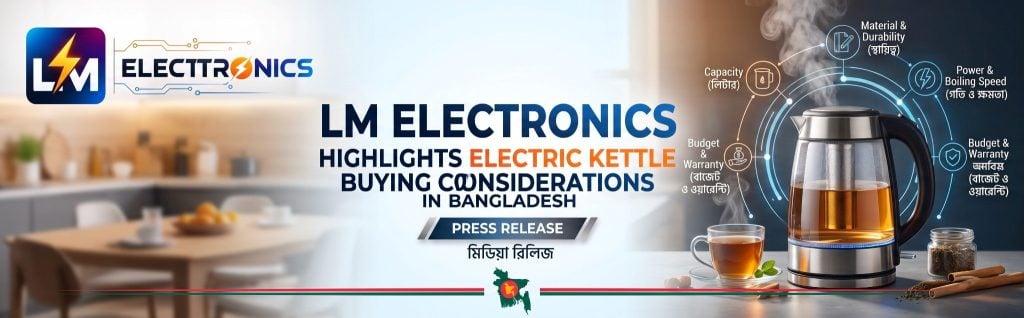
Electric kettles are widely used for everyday tasks such as preparing tea and coffee and heating water. However, selecting a suitable model requires more than comparing prices. Capacity, power rating, safety features, product specifications and warranty conditions can all influence a customer’s purchasing decision.
Understanding Electric Kettle Buying Considerations
Customers considering an electric kettle should first assess their household requirements. Capacity is important for determining how much water can be heated at once, while wattage provides information about the appliance’s power rating. Buyers should also review the safety features and specifications listed for each individual model.
Warranty coverage is another important consideration. Understanding the manufacturer’s warranty terms and available after-sales service can help customers make informed decisions and know where to seek assistance if a product requires servicing.
LM Electronics provides an online destination for customers researching the Vision Electric Kettle range in Bangladesh. Its dedicated brand page allows shoppers to explore available products and review published information before deciding which option meets their needs.
Comparing Prices and Product Information
Price comparison is an important part of researching household appliances. Customers looking for the Vision Electric Kettle Price in Bangladesh can visit the LM Electronics website to check available options and review individual product details.
Prices and availability may vary between models, so customers should consult the current listings before placing an order. Comparing specifications alongside price can help buyers identify an appliance that suits their intended use and budget.
Nationwide Delivery and Manufacturer Warranty
Founded in October 2025, LM Electronics operates from Chapainawabganj and delivers household appliances nationwide. Its online business model serves customers beyond major metropolitan centres, including buyers in district and upazila towns who may have limited access to a broad selection of appliances through local retailers.
The company supplies official products carrying manufacturer warranties rather than unofficial or grey-market goods. After-sales service is handled through the respective manufacturer’s service network. Cash on delivery is available, allowing customers to pay when their orders arrive.
Customer support is provided in Bangla and English, both before and after purchase. The company also publishes product specifications and relevant warranty conditions to support more informed purchasing decisions.
About LM Electronics
LM Electronics is an online home appliance retailer founded in October 2025 and based in Chapainawabganj, Bangladesh. It supplies official household appliances with manufacturer warranties and offers nationwide delivery, with cash on delivery available.
Media Contact
LM Electronics
Website: LM Electronics
Facebook
X
About Author
Disclaimer: The views, suggestions, and opinions expressed here are the sole responsibility of the experts. No Digi Observer journalist was involved in the writing and production of this article.
San Francisco, CA, October 22nd, 2026, FinanceWire
Latest valuation vaults brothers Phil and Dom Kwok into the ranks of billionaires.
The latest valuation of AI and blockchain engine EasyA has propelled its co-founders, brothers Phil and Dom Kwok, into the ranks of billionaire founders as AI and blockchain heat up globally.
In the four years since launching in 2022, EasyA has become the engine powering the world’s leading AI and blockchain companies. The EasyA app has over 1.3 million users, and EasyA is the trusted partner of companies like Google, Amazon, Coinbase and Ripple.
The milestone puts the Kwok brothers among a new generation of founders whose fortunes are being built on AI and blockchain. The brothers’ combined stake in EasyA is now worth $1.1 billion.
“When Dom and I were coding EasyA in our childhood bedrooms, I couldn’t have imagined we’d be here today,” said Phil Kwok, Co-Founder and CEO of EasyA. “We’ve built a generational company by taking long-term decisions and only ever answering to our users.”
“Money isn’t the yardstick. What matters is how many lives we change along the way,” said Dom Kwok, Co-Founder and COO of EasyA. “People have learned to build on EasyA and come to our hackathons, and some have gone on to launch companies like Cognition. The companies our community has started are now worth around $50 billion combined. That’s what we’re proudest of.”
About EasyA
EasyA is the engine powering the world’s leading blockchain and AI companies. Our mission is to accelerate the development and adoption of the most important frontier technologies. The EasyA app has over 1.3 million users and partners with 350+ of the world’s top academic institutions, forming the launchpad for the latest generation of AI and blockchain applications. EasyA is the trusted partner of the world’s leading AI and blockchain companies like Google, Amazon, Coinbase, Ripple and many others.
Contact
Press at EasyA
EasyA
hello@easya.com
About Author
Disclaimer: The views, suggestions, and opinions expressed here are the sole responsibility of the experts. No Digi Observer journalist was involved in the writing and production of this article.
Press Release
Tejere Anderson Services CEO Tejere Jolomi Thomas Outlines Community-Led Upstream Approach
Chief executive discusses upstream operations and community programmes in the Niger Delta.
ABUJA, Nigeria, October 22, 2026: Tejere Jolomi Thomas, Chief Executive Officer of Tejere Anderson Services and Executive Vice President of Ocean Wave Group, has set out an upstream approach centred on community programmes, technology and transparency.

Thomas has more than 20 years of experience in upstream operations, deep offshore and exploration, and the development of community programmes and engagement, working across onshore, swamp and creek environments in the Niger Delta. His focus is upstream operations that involve host communities as partners from the start.
Thomas was recruited in December 2010 for the Escravos Gas-to-Liquids (EGTL) project in Delta State, which kicked off in January 2011 and ran until July 2013.
Thomas is an associate of Government Oweizide Ekpemupolo, popularly known as Tompolo, a Niger Delta leader.
Since 2024, he has also led the protection and optimisation of pipeline networks at Ocean Wave Group.
SMART PETROLEUM GOVERNANCE
Thomas advocates Smart Petroleum Governance, a framework built on three pillars: modernisation, transparency and efficiency. It proposes digital monitoring systems that track operations in real time, data-driven decision-making, and security infrastructure designed to anticipate threats rather than react to them.
“Every upstream project begins in someone’s community. Get that relationship right and the rest of the work follows,” said Thomas. “Africa cannot measure or fairly distribute what it cannot see. We must govern our energy future intelligently, visibly and on our own terms.”
COMMUNITY ENGAGEMENT
An indigene of Kokori, Ethiope East Local Government Area, Delta State, Thomas works between energy investors, government institutions, contractors and host communities. His work focuses on reducing operational disruption, strengthening host-community engagement frameworks, and promoting equitable resource distribution and environmental responsibility.
ABOUT TEJERE ANDERSON SERVICES
Tejere Anderson Services is a Nigerian energy services company specialising in upstream oilfield support, community programmes development and engagement, and pipeline security, led by CEO Tejere Jolomi Thomas.
Solution Media Global Limited
8, Adebayo Adedeji Crescent, Utako, Abuja
Tel: +234 703 435 7040 | +234 909 414 2307
Email: info@solutionmediadigital.com
Media Contact
Organization: Tejere Anderson Services
Contact Person: Tejere Jolomi Thomas
Website: https://www.tejereanderson.com
Email: Send Email
Country: Nigeria
Release id: 50093
View source version on King Newswire:
Tejere Anderson Services CEO Tejere Jolomi Thomas Outlines Community-Led Upstream Approach
About Author
Disclaimer: The views, suggestions, and opinions expressed here are the sole responsibility of the experts. No Digi Observer journalist was involved in the writing and production of this article.
LM Electronics Highlights Electric Kettle Buying Considerations in Bangladesh
Phil and Dom Kwok Now Worth $1.1 Billion as EasyA Reaches Unicorn Valuation
Tejere Anderson Services CEO Tejere Jolomi Thomas Outlines Community-Led Upstream Approach
Benzinga Money Article Discusses How to Become Part of the 12% of Retirees Who Have Achieved the Recommended $550,000 Minimum Retirement Savings Threshold
Apu Apustaja Conquers New York with Lively Street Ads, Including Times Square Billboard
Bay Smokes Maintains Quality Amid Legislative Changes in the Hemp Industry


-
Press Release6 days ago
Midwest Ragdolls Highlights Why a Kitten’s Early Environment Matters
-
Press Release5 days ago
From Karmayogi to the World Stage: Dr. Hemant Garg Wins “Excellence in AI for Public Policy”, Charts India’s Path to the AI Big League
-
Press Release1 week ago
Exhibit at CES 2027: Showcasing GENCHI, the Immersive Avatar Service Called Crazy by a U.S. Angel Investor
-
Press Release6 days ago
Physical AI Lab Nature Will Unveils Natura-1, First General Foundation Model for the Physical World
-
Press Release5 days ago
U-topia Launches Public Beta as Global Builders Gather for U-Hackathon
-
Press Release5 days ago
Karviva and Founder Dr. Angela Zeng Featured in 2026 USA TODAY Food as Medicine Edition.
-
Press Release5 days ago
AI News Directory Launches to Help Readers Find AI Writers Worth Following
-
Press Release5 days ago
ShippingContainersNow.com Now Offers 48-Hour Container Dispatch From 15 Depots Nationwide